
One phrase. Multiple chains.
Create or restore supported crypto wallets using a 12- or 24-word recovery phrase. Your encrypted wallet lives on your device, where transactions are signed.
Explore the walletCreate a multichain wallet, accept payments at your counter or online, and manage your business in one elegant workspace.
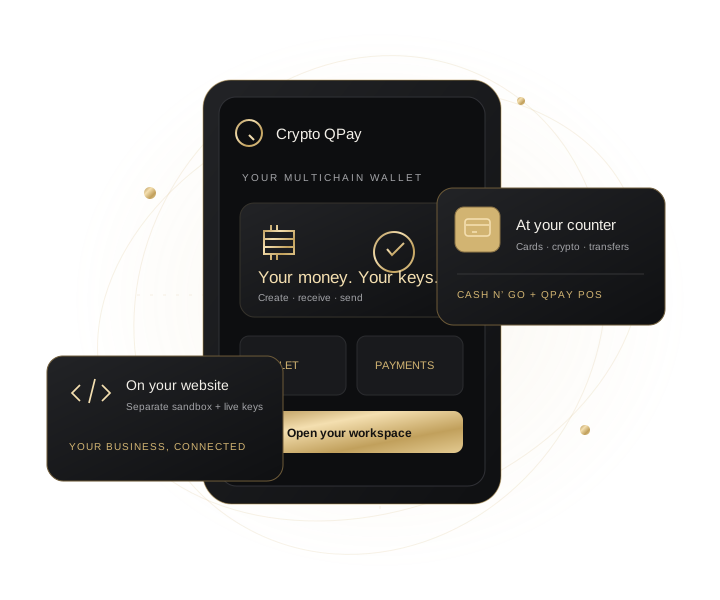 ONE WORKSPACE. MANY WAYS TO MOVE.
Crypto QPay brings wallets, point of sale, website payment APIs, and a private insurance application portal together. Built by Quantum Logic for people and businesses ready to move with digital payments.
Create or restore supported crypto wallets using a 12- or 24-word recovery phrase. Your encrypted wallet lives on your device, where transactions are signed.
Explore the walletAdd products, build a cart, and present a payment QR. Collect crypto, or connect your approved Cash n’ Go account for hosted card payments and wallet transfers.
Open point of saleUse separate sandbox and production API keys to create invoices for your website. Production payments are checked against the correct blockchain before orders are marked paid.
Become a merchantView available insurance plans, name beneficiaries, and submit records privately. Authorized reviewers assess qualification; approved coverage activates after a verified premium.
View available plansAvailability depends on configured providers and approved merchant access. Monero is scanned privately in your local wallet; automatic website XMR checkout requires a dedicated integration. Insurance applications do not guarantee qualification or coverage.
Your account manages services. Your recovery phrase restores your wallet. Each has its own purpose.
Open QPay and generate your recovery words. Write them down privately, confirm them, and choose a device password to encrypt the wallet.
Create a QPay account and verify your email. Connect your wallet locally to use merchant tools, insurance applications, and your message room.
Configure the payment method you need, share a QR or website invoice, and wait for server verification before treating a payment as complete.
QPay generates a wallet-linked Inductor code from your public identity. Restoring the same recovery phrase and optional passphrase restores that identity. Referral associations and beneficiaries stay linked to it.
Explore your network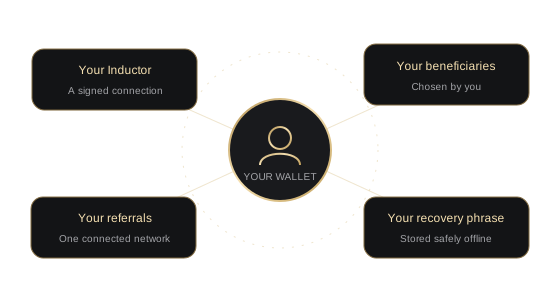
The partnerships behind what comes next.

Confirmed partnerships will appear here. Connect with us to explore how your company can help power Crypto QPay.
Your recovery phrase and spending keys stay on your device. QPay’s server supplies chain data and verifies payments. Staff cannot recover your phrase or move your wallet funds from the back office.
Configured crypto assets use native receiving addresses. Approved Cash n’ Go merchants can also use hosted card checkout and wallet transfers. Sandbox payments are test results and stay separate from production sales.
Create a merchant profile, prove wallet ownership, import a public receiving-address pool, and issue a sandbox API key. A super admin approves production access. Keep your API secret on your website’s server.
Account recovery emails reset your QPay sign-in password. Your written recovery words restore the wallet and its identity. Neither account support nor the staff office can reveal those words.
Talk to Quantum Logic about merchant access, integrations, or a potential partnership.
cryptoqpay@protonmail.comMedical records belong in your secure account portal.